
 App
Parent & Guardian Guide
How to Apply
Follow the steps below to create your account and submit an application for your child.
The process has four simple stages.
1
Register
Create your account
2
Sign
Save your signature
3
Apply
Complete the form
4
Submit
Confirm and send
Step by step
Complete each step in order
Select a screenshot to see a larger version.
Stage 1 · Register
Register
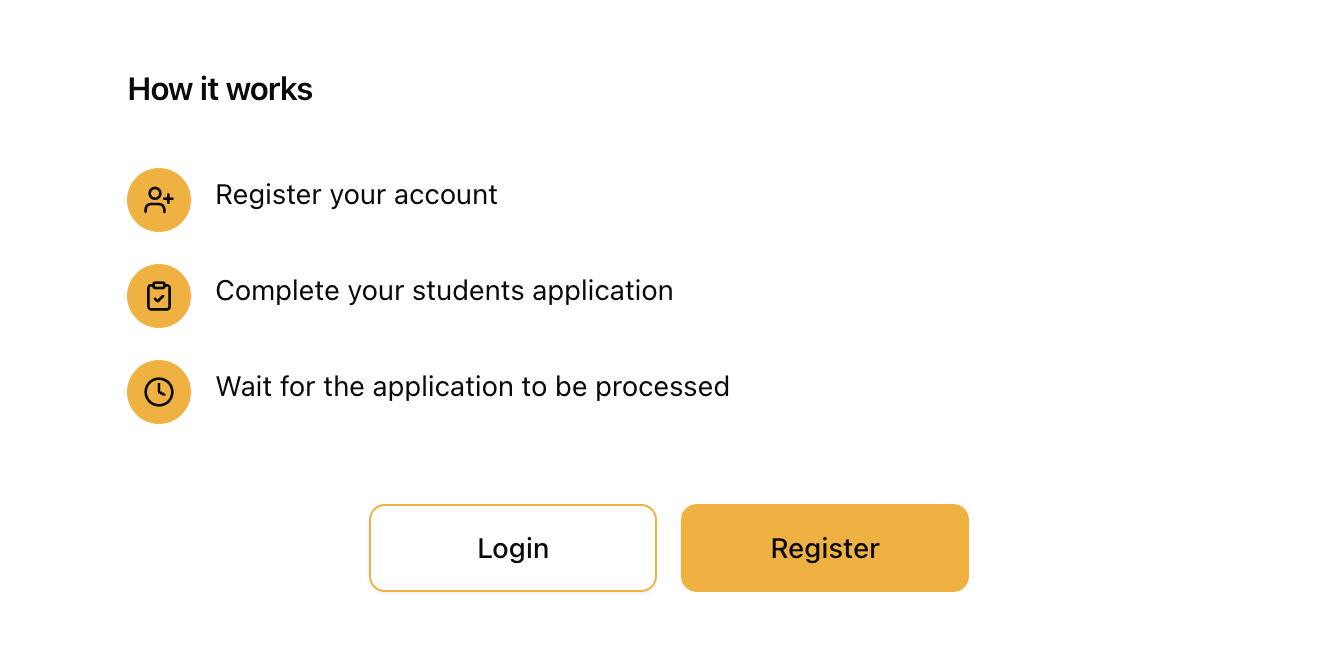
- On a web browser or your mobile device, open the Coláiste Cholmcille admissions portal.
- On the admissions page, select the Register button.
Stage 1 · Register
Enter and verify your details
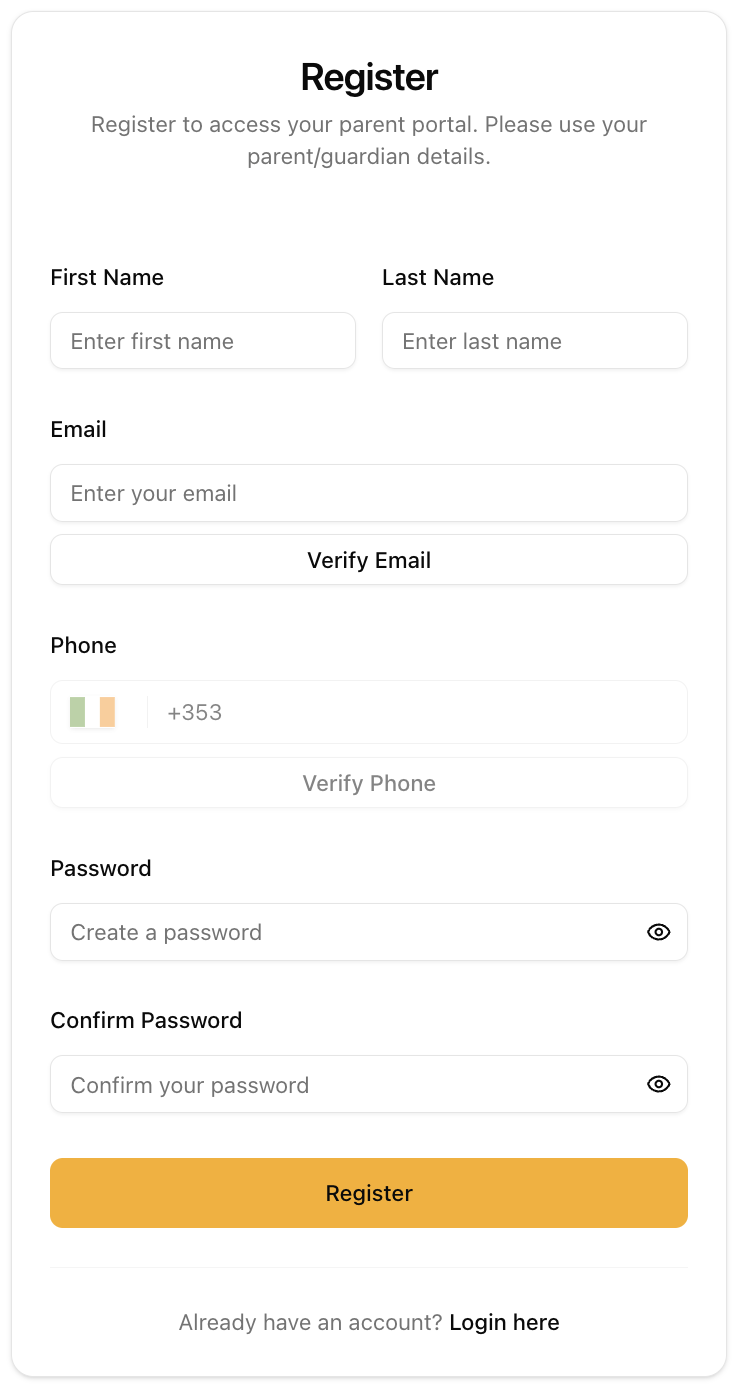
- Enter the parent or guardian’s first name and last name.
- Enter your email address and select Verify Email. Enter the one-time code sent to your email.
- Enter your mobile phone number and select Verify Phone. Enter the code sent by SMS.
- Create a password, enter it again in Confirm Password, then select Register.
- When the login page appears, sign in with your verified email address and new password.
Keep the page open. You will need access to both your email and mobile phone to receive the verification codes.
Stage 2 · Signature
Create your digital signature
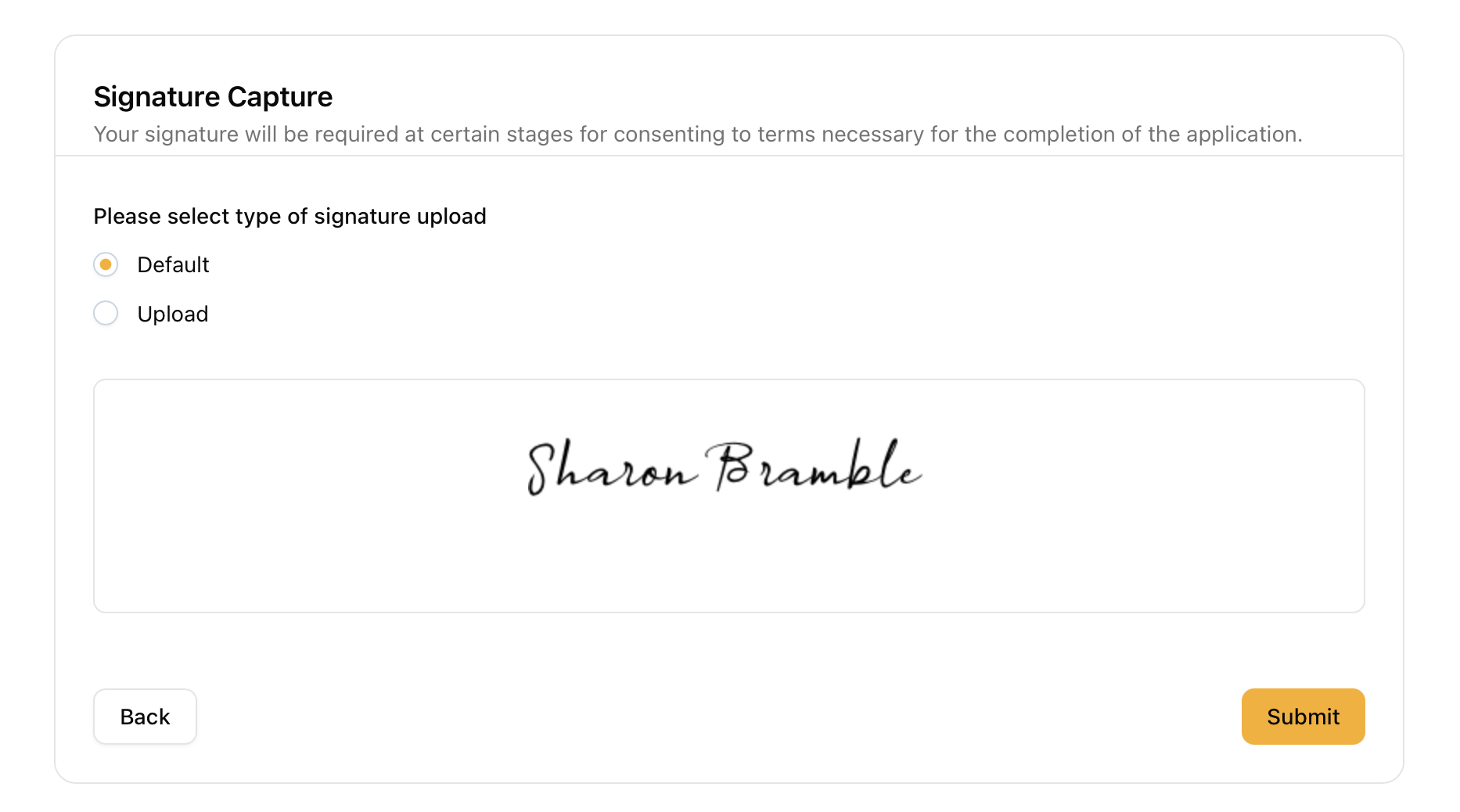
- On the Signature Capture screen, choose Default to create a digital signature.
- Check that your signature appears, then select Submit to finish creating your account.
Stage 3 · Application
Complete the form
- Select Add Student/Child or the plus button.
- Enter your child’s name and choose Save, then select Begin.
- Work through every screen using Next and enter all information requested.
Review as you go. Check names and contact details carefully before moving to the next screen.

Stage 4 · Submit
Confirm the policy and submit
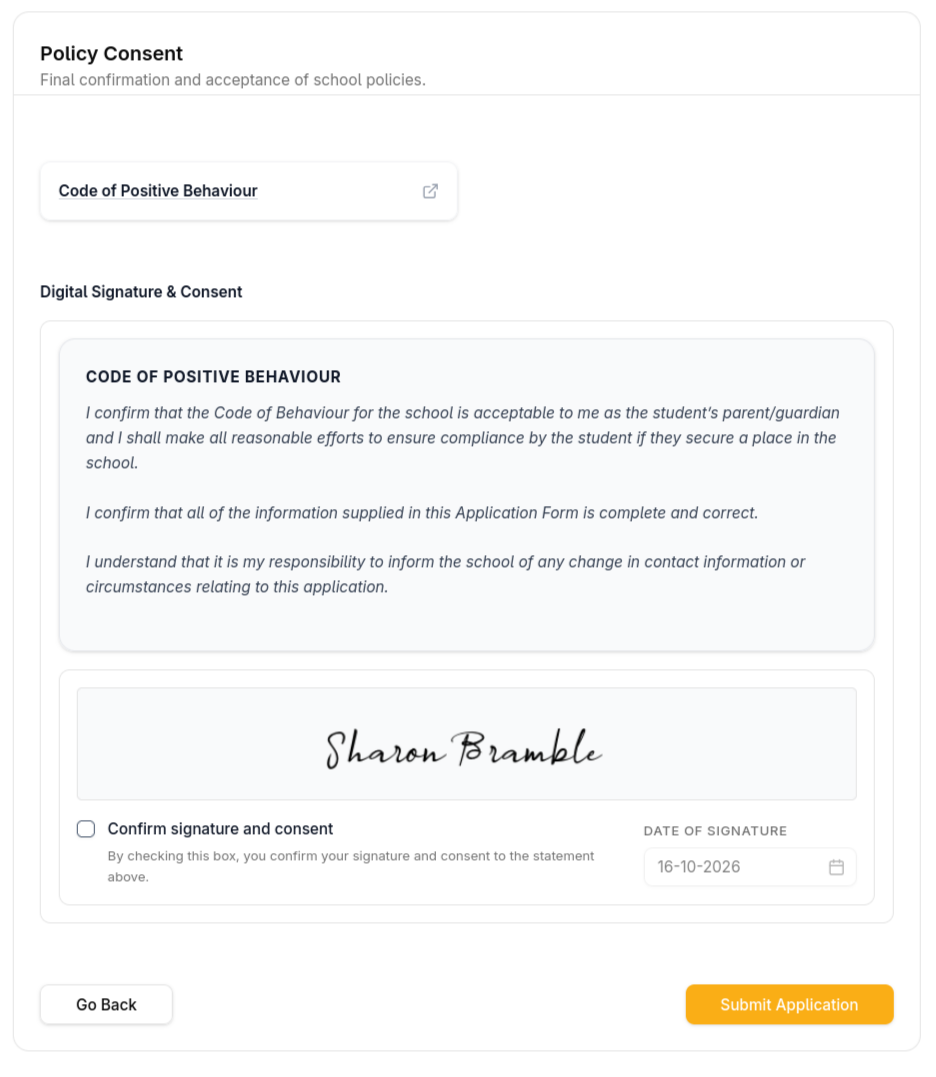
- On the final screen, open and read the Code of Positive Behaviour.
- Tick Confirm signature and consent.
- Select Submit Application and wait for confirmation.
Important: The school will not receive your application until you select Submit Application.
Ready to begin?
Open the admissions portal
It opens in a new tab, so you can return to this guide whenever you need it.